Lorem ipsum dolor sit amet
consectetur adipiscing elit. Aenean condimentum, lacus eu placerat facilisis, ipsum lectus feugiat lorem, ut feugiat erat dui in nisl. In sollicitudin massa a erat dignissim, at finibus massa porttitor. Mauris elit sapien, facilisis pretium egestas ut, accumsan nec nisl.
Morbi dolor felis, porta
in dignissim a, semper ac turpis. Sed aliquam diam non dolor placerat, a egestas sem imperdiet. Aliquam nec est quis augue gravida viverra et sit amet augue.
Suspendisse elementum libero non vulputate viverra. Phasellus sollicitudin purus at diam consequat, quis dictum ex elementum. Phasellus rhoncus neque mi, sed pretium velit ultricies non. Mauris viverra a nisi et interdum. Aliquam ut cursus velit. Morbi lectus enim, accumsan nec ex et, porta pulvinar quam. Vestibulum ligula libero, condimentum at lobortis ac, lobortis eget justo. Fusce turpis enim, vestibulum a dolor a, bibendum sodales libero. Pellentesque vitae vehicula nisl, molestie consequat neque.
The Callout Block uses the built in WordPress ‘Info Box’ block and can be used inline in articles to draw attention to a specific section of the article.
In a future iteration of the theme, these styles will be applied automatically, but for now, there’s a small amount of configuration to keep the call-out on-brand.
We can add a simple callout block in an article by using the third-party  block
block
Process:
- At the point on the page, where you want to info box to appear, make sure you see the prompt:

- From here, type
/info. You should see a few block names appear. Select ‘info box’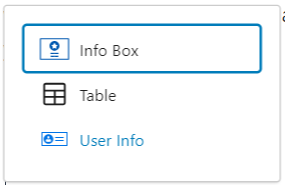
- You can now go about adding your content in the normal way.
- If you want to disable the icon or title fields, you can do it from the side menu. Select the ‘Style’ tab:
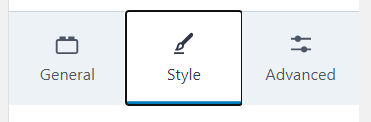
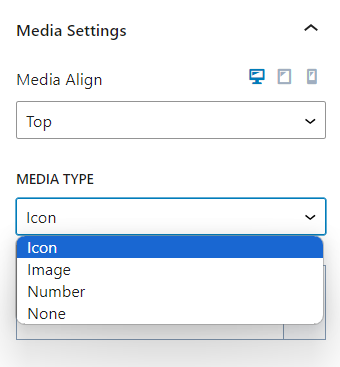
- The icon can be replaced by an image or disabled under the ‘Media Settings’ heading
- The title can be disabled under ‘Title’ settings
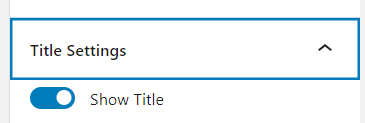
- The icon can be replaced by an image or disabled under the ‘Media Settings’ heading
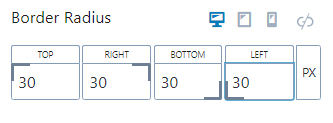
- Finally, make sure you edit the ‘border radius’ settings, also in the Style tab. Set each of the four values to 30. (Eventually, this will be set in theme so you won’t need to do it)